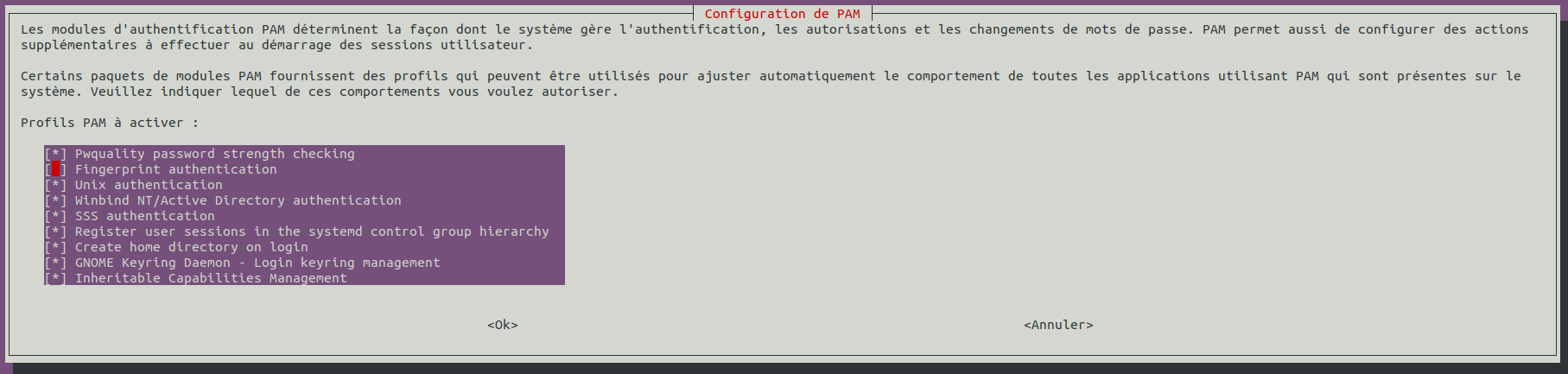
SSSD provides a set of daemons to manage access to remote directories and authentication mechanisms such as LDAP or Kerberos. It provides an NSS and PAM interface toward the system and a pluggable backend system to connect to multiple different account sources.
1
sudo apt install sssd-ad sssd-tools realmd adcli
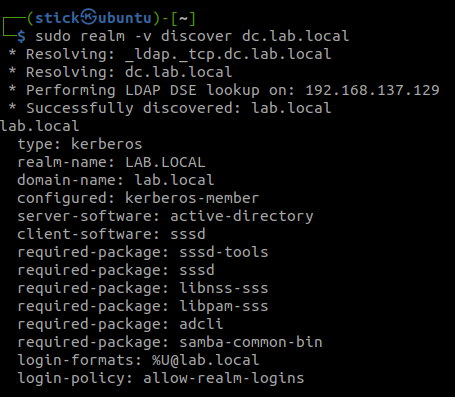
Discover the domain with realm
1
sudo realm -v discover dc.lab.local
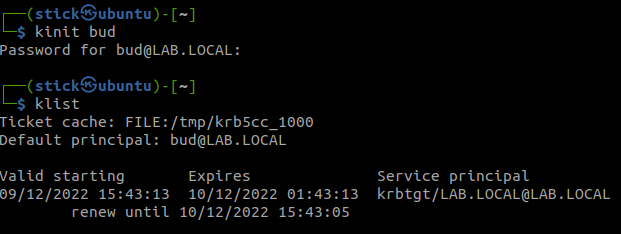
Join the domain with an admin account from your Active Directory
# Change this to the workgroup/NT-domain name your Samba server will part of workgroup = LAB security = ADS realm = lab.local kerberos method = secrets and keytab passdb backend = tdbsam encrypt passwords = yes
# server string is the equivalent of the NT Description field server string = %h server (Samba, Ubuntu)
#### Debugging/Accounting ####
# This tells Samba to use a separate log file for each machine # that connects log file = /var/log/samba/log.%m log level = 3 # Cap the size of the individual log files (in KiB). max log size = 1000
# We want Samba to only log to /var/log/samba/log.{smbd,nmbd}. # Append syslog@1 if you want important messages to be sent to syslog too. logging = file
# Do something sensible when Samba crashes: mail the admin a backtrace panic action = /usr/share/samba/panic-action %d
We want that other or everyone in Windows have no access to the share.
1
sudo setfacl -m other:--- /srv/share/
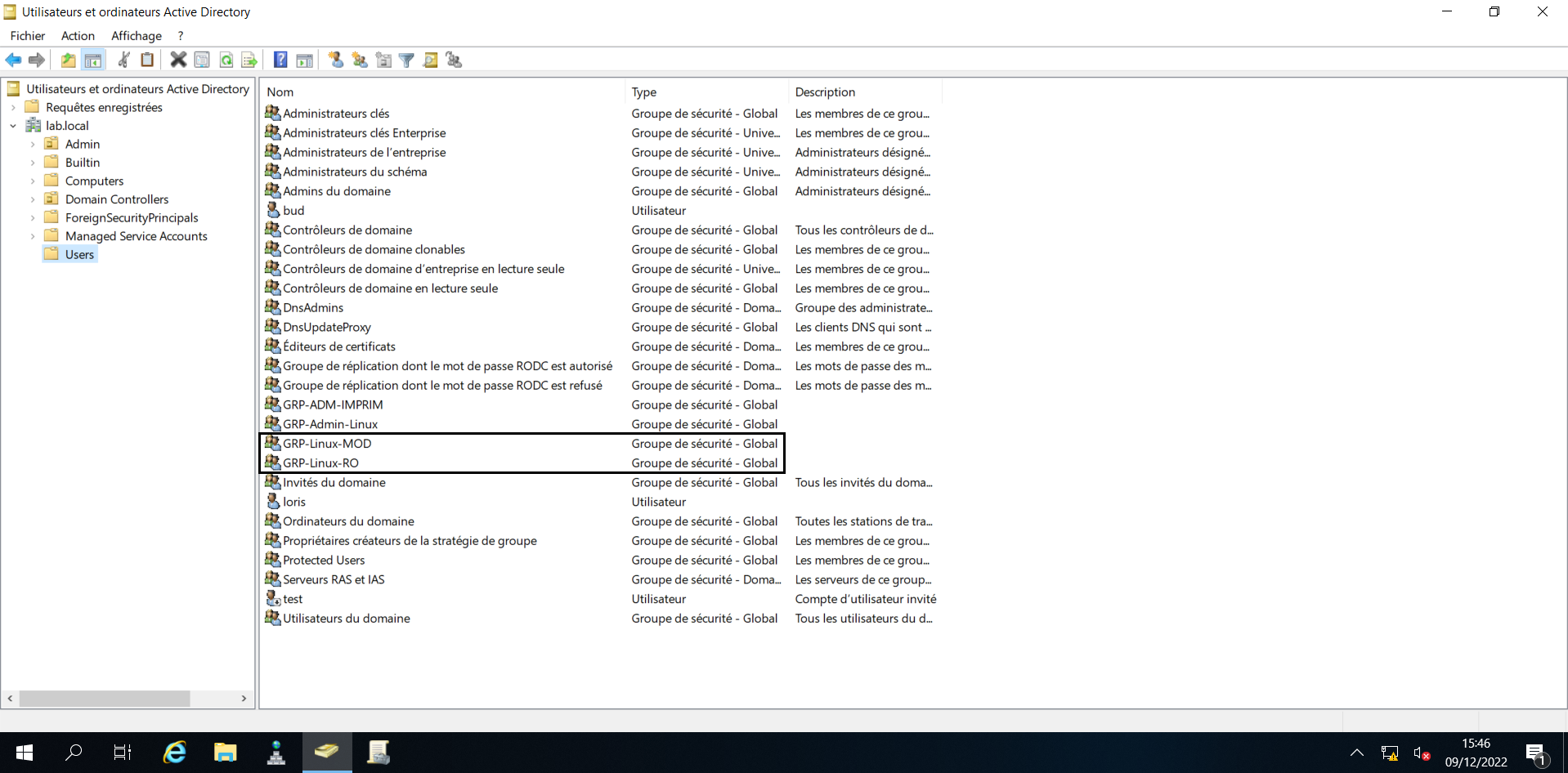
We want two groups :
The first can modify the documents
1
sudo setfacl -m g:GRP-Linux-MOD:rwx /srv/share/
The second in read only
1
sudo setfacl -m g:GRP-Linux-RO:rx /srv/share/
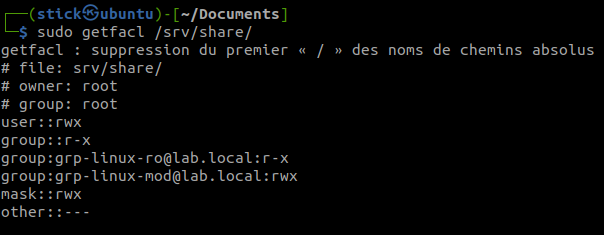
Check the result of the ACL on the share
1
sudo getfacl /srv/share/
Restart samba for the modification
1
sudo systemctl restart smbd
Now your share is good and you can access it with Kerberos from a domain computer with an account link with the active directory groups GRP-Linux-RO or GRP-Linux-MOD.